
Webstudio chapter indexing
Last updated: August 26, 2025
Webstudio chapter indexing during live
Activating chapters during live
Chapters can be used for jumping back and forth in the recording when watching the recording in the player.
You can add them inside Web Studio before the event or during it. Activating those chapters, however, must be done during the event because the timestamps of the switches will be recorded just like slide changes.
Adding new chapters (before or during live)
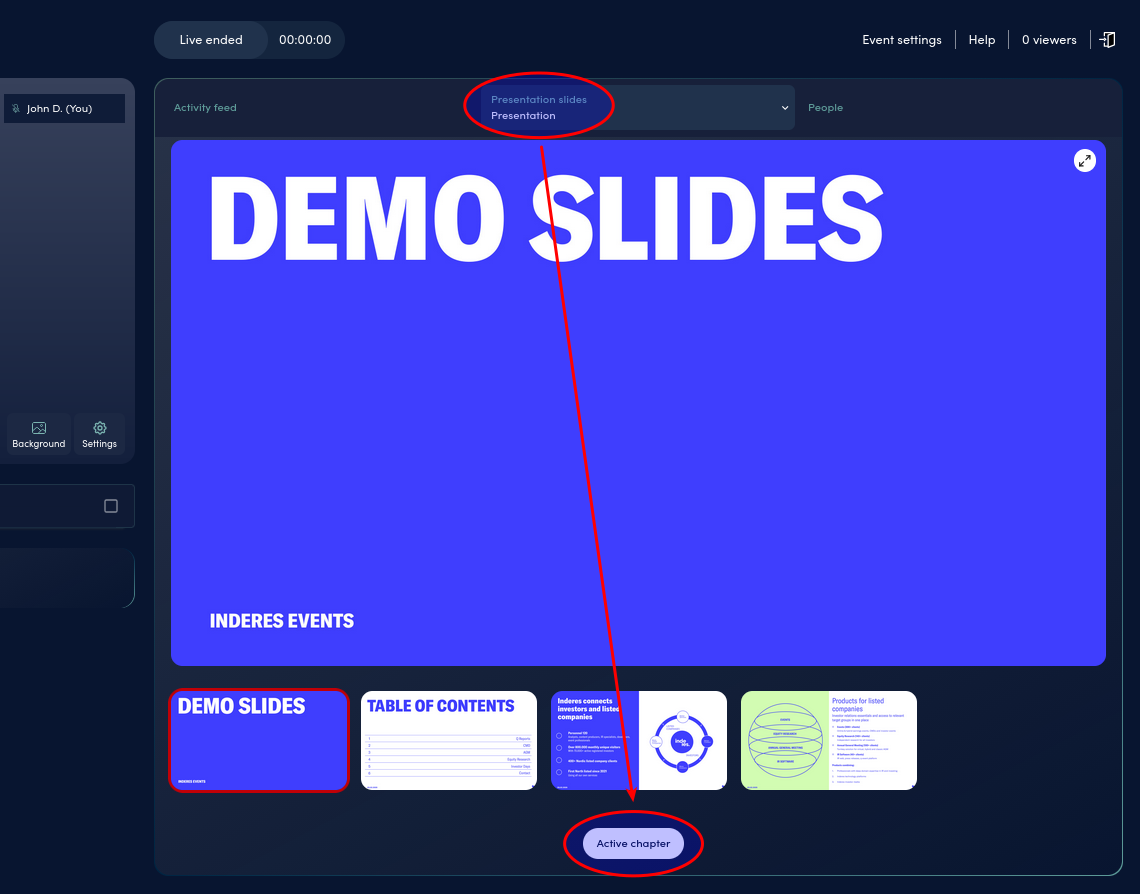
Choose slides tab and then click Active chapter.
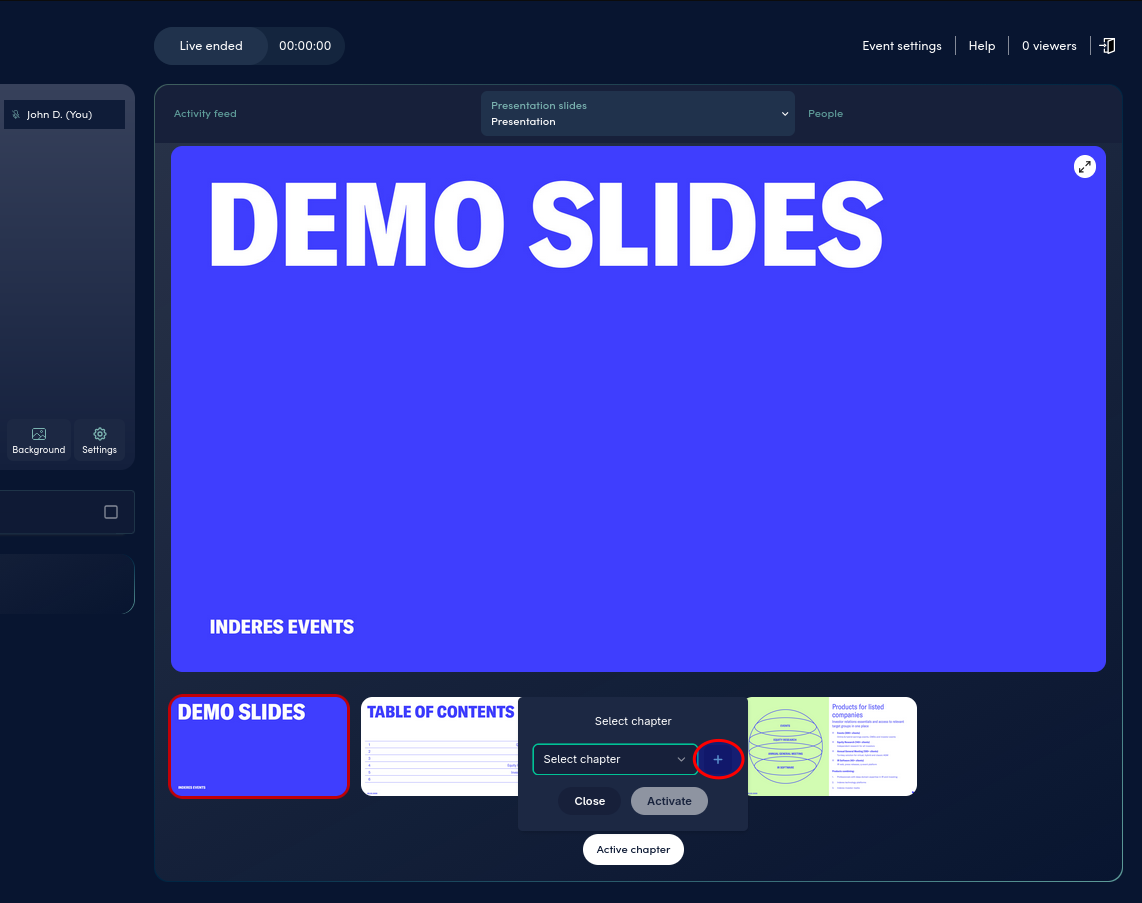
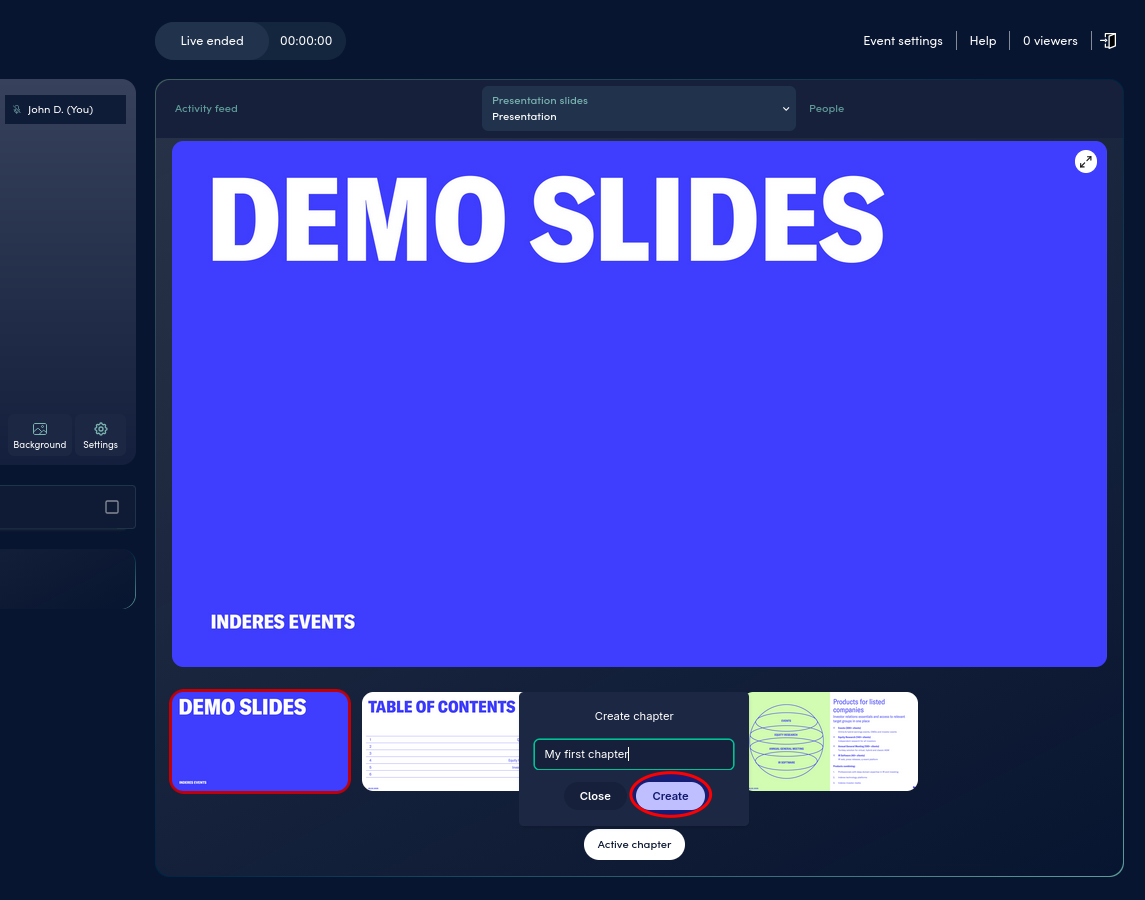
Type in the first chapter’s name and hit Create.
Name the chapter and click “Create”. You can add multiple chapters beforehand. It might be a good idea to create them all before the event and then just activate them during the event.
Activating chapters (during live)
After you have gone live, you can can activate them easily. Just choose in the dropdown the chapter you want to activate and hit Active chapter.
Support
If there were any issues with the stream, feel free to reach out to us, and we’ll assist you with whatever is needed.
👋 **We’re here to help you to create amazing events with Videosync. If you can’t find what you’re looking for, just send our team a message at support@videosync.fi
In urgent problems please call us +358 20 729 1449 (8:00 to 17:00 EEST)**
Can't find what you're looking for?
Our AI assistant is here to help you find the information you need.